


Blackmagic Camera
4.6478.00 Reviews
App Specs
- Version
- Varies with Device
- Updated On
- License
- Free
- Downloads
- 1,000,000+
- Developer
- Blackmagic Design Inc.
- Categories
- Photography
- Platform
- Android, iOS
Screenshots
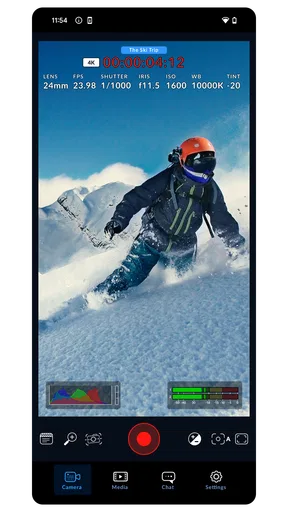
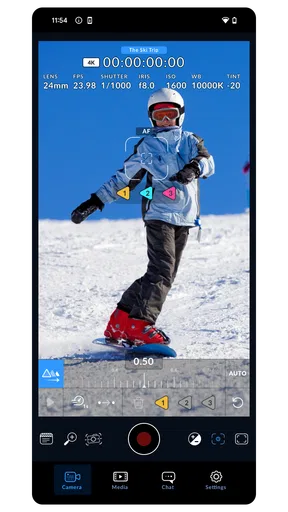
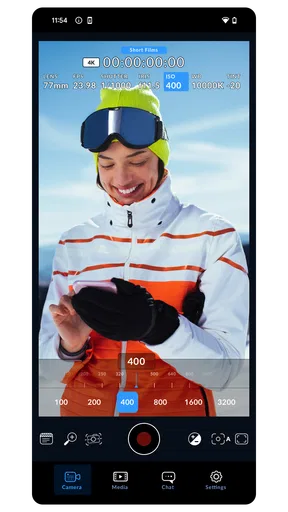
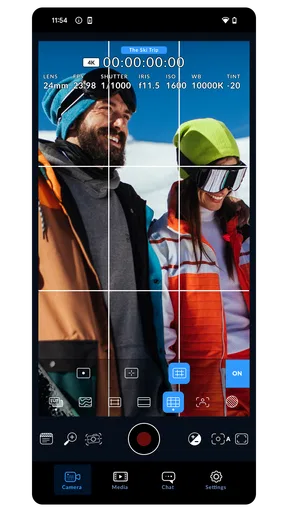
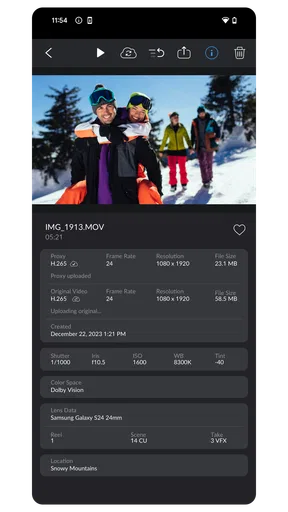
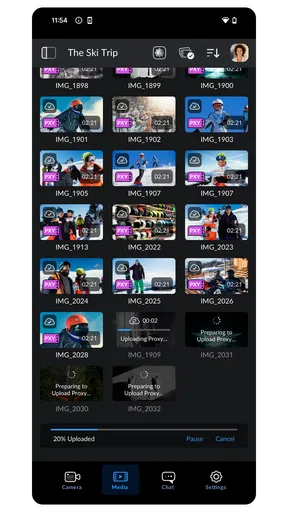
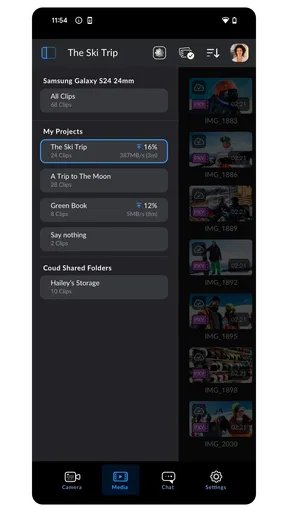
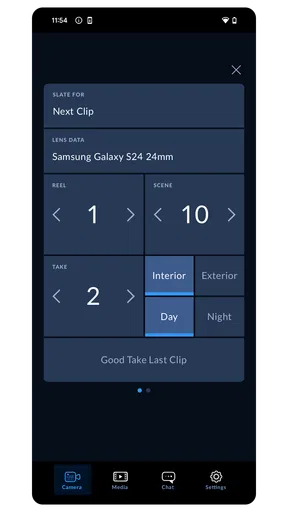
 Analysis by AppCompare
I like phone-camera apps that give me more control without forcing me to carry a separate camera, and Blackmagic Camera has a clear point of view: it is built for people who want to make deliberate video, not just tap record and hope the phone makes every choice for them. That focus is its biggest strength, but it also explains why it will not be the best fit for everyone. If you enjoy setting up a shot and shaping its look, it can make a phone feel like a more considered filmmaking tool; if you want effortless snapshots, the standard camera app is probably quicker.
A hands-on approach to shooting
Developed by Blackmagic Design Inc., this free photography app brings a more production-minded style of control to mobile shooting. The appeal is not simply that there are more settings to explore. It is that choices such as exposure and white balance can be treated as part of the shot rather than left entirely to automatic processing. That matters when I want two clips recorded in the same room to look consistent, or when changing light would otherwise make a phone’s automatic adjustments distracting.
That control comes with a small but important trade-off: the app rewards preparation. Before filming, I would take a moment to check the framing, exposure, and white balance instead of assuming the phone will make the right call. A locked-in look can help a sequence feel coherent, but it also means I need to notice when the subject moves into different light. For a fast, unpredictable moment, automatic shooting can still be the sensible choice.
Where it earns its place in a daily workflow
A useful everyday example is filming a short interview at home. I can place the phone, frame the speaker, and make exposure and color decisions before recording. If I shoot a second segment later, revisiting the same settings can help avoid a visible shift in brightness or color between takes. Presets can make that repeat setup faster, though I would still check the scene rather than assume a saved setup suits every room.
The same deliberate approach helps with travel clips, product demonstrations, and social videos that will be edited together. A practical tip is to make a brief test recording before committing to a longer take: it gives me a chance to review framing and exposure while fixing a mistake is easy. On a phone, storage and battery are part of the production plan too, so I would leave room for footage and avoid treating a long shoot like a quick snapshot session.
For editing, the important distinction is that shooting controls and post-production are related but not interchangeable. A LUT can help preview or shape a look, yet it cannot rescue every exposure mistake or make mixed lighting consistent by itself. I would choose a look with the finished edit in mind, then check that skin tones and highlights still look natural on the phone screen. If I plan to make detailed edits later, keeping the capture decisions restrained can leave me more flexibility.
Transforming Your Smartphone into a Cinema Camera
First off, let’s talk about the transformation that happens when you launch the Blackmagic Camera app. Suddenly, your smartphone feels less like a phone and more like a high-end film camera. It’s like your device gets a magic wand waved over it. The interface is sleek, yet brimming with robust features that cater to both amateur filmmakers and seasoned pros alike.
Worth Reading Before You Choose

EA SPORTS FC Mobile 26 Is a Bigger Football Game, but It Takes Time

Flipboard Shows What News Apps Must Do Beyond the Feed

Switching to Android Auto Means Rethinking Your Driving Routine

Google Calendar Makes a Crowded Week Easier to Manage

Ludo King Makes the Most of the Minutes Between Plans

Baby Panda World Brings Quick Play to Modern Phones, but Its Game Library Feels Busy
The app offers a variety of shooting formats, including 4K, and the control over settings is impeccable. If you’re someone who loves tinkering with ISO, shutter speed, and white balance, you’ll feel right at home. It’s all about giving you the power to craft your footage exactly how you envision it.
User-Friendly Interface
Despite the plethora of features, the app doesn’t leave you drowning in a sea of buttons and options. It’s intuitive, with a layout that makes sense almost immediately. I’m a sucker for design that doesn’t make me feel like I need a degree in rocket science to operate, and this app nails it.
The controls are responsive, and the app doesn’t lag, which is crucial when you’re trying to capture that perfect moment. The ability to save presets is another sweet touch, allowing you to quickly switch between different filming setups without a hitch.
Color Grading and Post-Production
One of my favorite features has to be the color grading options. If you’re like me and love playing around with the look and feel of your footage, you’re in for a treat. The app offers an array of LUTs, allowing for on-the-fly adjustments that can make your videos look like they’ve been pulled straight from a Hollywood blockbuster.
And the best part? You can export your footage in a variety of formats, ready for further editing in professional software. It’s like having a mini editing suite right in your pocket.
Choosing the right camera for the job
Compared with the default camera app, this is the option I reach for when a clip needs consistent exposure, a planned look, or more intentional control. The built-in camera is still more convenient for spontaneous family moments, quick photos, and situations where I do not want to adjust settings before recording. Compared with a dedicated camera, the phone is easier to carry and ready for casual use, while a separate camera remains a better choice when the shoot depends on specialized equipment or a more elaborate setup.
There is also a learning curve hidden behind the friendly layout. The controls may be approachable, but knowing when to adjust ISO, shutter speed, or white balance takes practice. I would not try to master every option during an important one-off event. A low-pressure test—recording the same scene with automatic settings and then with a few manual adjustments—is a better way to learn what each decision changes.
Who will get the most from it
I would recommend it to aspiring filmmakers, video creators, and anyone who edits clips regularly and wants more say in how footage looks before it reaches an editing timeline. It is especially useful when repeated shots need to match, such as a small interview series or a product demo recorded in several takes. The app’s focus on camera control makes more sense for those jobs than for someone who mainly wants quick still photos or automatic point-and-shoot video.
If you are new to manual controls, start with one adjustment at a time. Try setting white balance for a room, then compare the result with automatic color; on another test, pay attention to exposure. This keeps the learning process manageable and makes it easier to see whether the added control is helping. I would skip it if I wanted the phone to make every decision, or if I rarely record video and do not plan to edit what I capture.
Fit, access, and a few practical checks
The app is free, rated for Everyone, and has a 4.4 average from around 11 thousand ratings, with over 1 million installs. It was released on June 3, 2024, and version 3.3.2.0001 is the current version. Those details make it easy to try without paying, but the more useful question is whether its camera-first workflow suits the way you shoot. I would check that the app runs well on my phone and that I have enough storage before planning a long recording session.
One practical habit is to review a short clip before filming something important, especially if the scene has bright windows, mixed indoor lighting, or a moving subject. That simple check can reveal whether the framing and exposure work as expected. It also helps me decide whether to use a saved preset or adjust the setup for the current location instead of assuming yesterday’s settings will look right today.
For people asking whether it replaces a regular camera app, my answer is no: I see it as a specialist option for planned video, not a universal replacement. Nor does having professional-style controls automatically make footage professional; steady framing, useful light, clear sound, and thoughtful editing still matter. The app can give me more influence over the image, but I remain responsible for the choices that shape it.
Perfect for Content Creators
In today’s world, content is king. Whether you’re a vlogger, a TikTok star in the making, or just someone who loves capturing life’s moments in style, this app has something for you. The ease of use combined with the high-quality output makes it a no-brainer for anyone serious about their mobile content.
Plus, the app is regularly updated, meaning you’re always getting new features and improvements. It’s nice to see an app that doesn’t just rest on its laurels but continues to evolve with user feedback.
The Verdict
So, is the Blackmagic Camera app worth downloading? In my opinion, absolutely. It’s a powerhouse of a tool that turns your smartphone into a cinema-grade camera without the hefty price tag of professional equipment. The combination of user-friendly design and professional features makes it a must-have for anyone looking to elevate their mobile filmmaking game.
If you’re ready to dive into the world of mobile cinematography, you can download the app from the links provided on our site. Whether you’re capturing a summer sunset or a bustling cityscape, this app has you covered. Happy filming!
Pros
- High-quality video capture capabilities.
- User-friendly interface for easy navigation.
- Advanced manual controls available.
- Supports various video resolutions and formats.
- Excellent integration with editing software.
Cons
- Requires a device with high processing power.
- Consumes battery quickly during recording.
- Large file sizes need ample storage space.
- Lacks some features on older devices.
- Occasional app crashes reported by users.
FAQs for Blackmagic Camera
What platforms is the Blackmagic Camera app compatible with?
The Blackmagic Camera app is designed for both Android and iOS devices. Ensure your device meets the minimum operating system requirements: Android version 8.0 or later and iOS 13 or later. Compatibility may vary depending on the specific model and hardware capabilities of your device.
What are the key features of the Blackmagic Camera app?
The Blackmagic Camera app offers advanced features such as professional-grade video recording, support for 4K and 6K resolutions, and a variety of recording formats like RAW and ProRes. The app also includes manual controls for focus, exposure, and white balance, making it ideal for filmmakers and videographers.
Is the Blackmagic Camera app free to use?
The Blackmagic Camera app offers a free version with basic features. However, to unlock its full potential and access advanced features, users may need to purchase in-app upgrades or subscriptions. It's important to review the pricing details on the app store before downloading.
How does the Blackmagic Camera app compare to other professional camera apps?
The Blackmagic Camera app stands out due to its high-quality video recording capabilities and professional features, which are often more advanced than those found in other apps. Its integration with Blackmagic Design products is a significant advantage for users already invested in their ecosystem.
What are the system requirements for optimal performance of the Blackmagic Camera app?
For optimal performance, the Blackmagic Camera app requires a device with a powerful processor, ample RAM, and sufficient storage space to handle large video files. It is also recommended to use a device with a high-quality camera sensor to fully utilize the app's capabilities.


